Enable Modmail
Turn on Modmail, pause new requests, or switch support off without losing your settings.
Turn on Modmail for your bot, then complete the guided setup before you invite members to contact support. Modmail starts switched off.
Before you start
You need a created bot, permission to invite it to your Discord server, and access to its dashboard settings. One server is enough; a separate staff server is optional.
Finish Get a Bot first if you haven't created your bot. Use the bot invite link in the dashboard: it requests the Discord permissions needed to create private ticket channels and post transcripts.
Turn Modmail on
Keep your bot online while you enable the feature.
- In the dashboard, open your group and select your bot.
- Open Modmail.
- Turn on the Modmail switch.
- Continue to the guided setup.
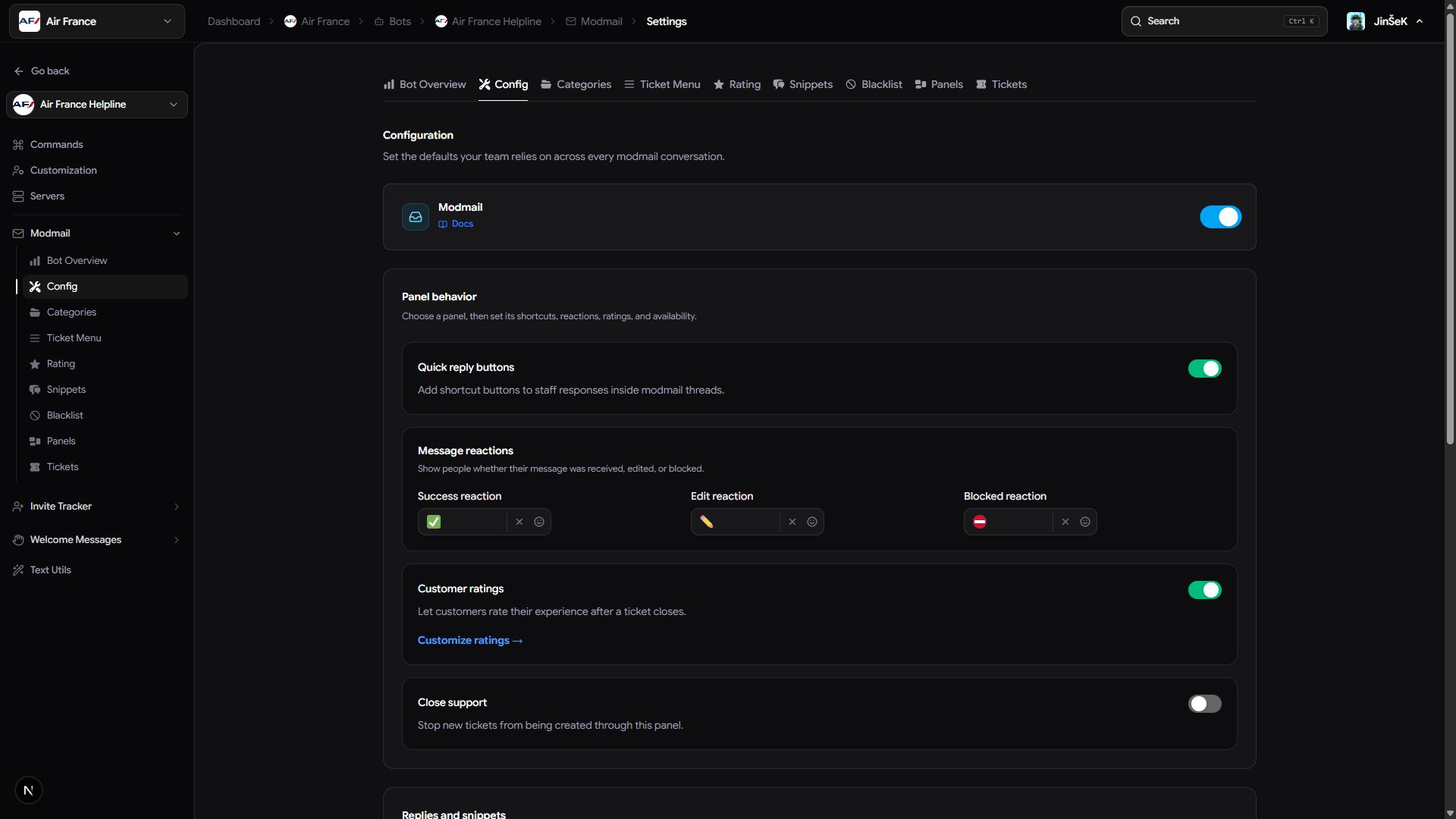
If you've completed setup before, you go to Config instead. Enabling Modmail doesn't post a panel in Discord or send members a message.
Members can't open tickets until setup is complete. Finish the wizard and send a test ticket before announcing your support desk.
Pause new requests
For a short break, use Close support for the relevant panel on Config. Write a message explaining why support is closed and what members can do next. That panel stops accepting new tickets, while existing conversations and other open panels keep working. Turn the switch off to accept requests again.
Turn Modmail off
Turning the feature off stops both new messages and replies. Tickets, transcripts, panels, and settings stay saved for when you turn it back on.
- Open Config for your bot.
- Turn off Modmail.
- Read the warning about any open tickets.
- Choose Go back to finish those conversations first, or Turn off anyway to pause immediately.
We recommend closing open tickets before a planned pause so members receive the usual sign-off and any rating request you've configured.
If you can't continue
Use the symptom to choose your next action.
| What you see | What to do |
|---|---|
| The dashboard keeps waiting | Bring your bot online, then try the switch again. |
| The update fails | Retry the change. |
| You left before the wizard opened | Open Modmail again to return to setup. |
Next steps
Complete the guided setup, then check servers and permissions.
Last updated on