Member profiles
Review member support history across your group before answering a new request.
Open a member's profile to review their support history before answering a new request. Profiles brings their activity across your group's connected bots together in one place.
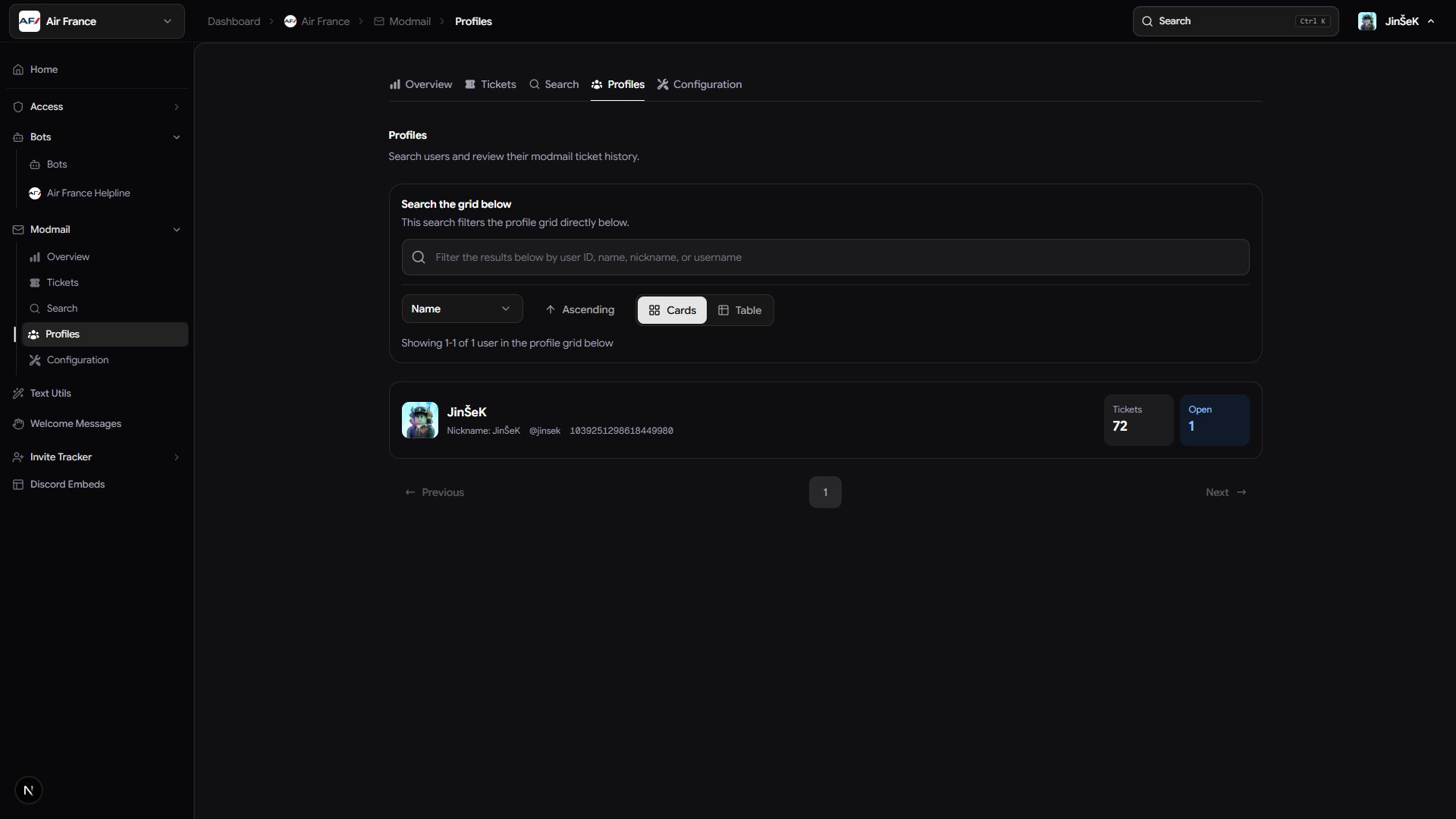
Find a member
Start in your group's dashboard rather than a single bot's settings.
- Open Profiles.
- Search for the member by name.
- Review the matching identities and ticket counts.
- Select the member to open their profile.
You can switch the results between a table and a card grid.
Review their history
Use the profile to find earlier conversations and understand the context of the current request.
| Area | What you can review |
|---|---|
| Ticket counts | Open, closed, and subscribed tickets. |
| Ticket history | Tickets they've taken part in, with sorting, table or card views, and links to the records. |
| Invite history | How they joined your community, when Invite Tracker is enabled. |
Open a related ticket to check the earlier outcome or promises before replying. Ticket counts help you find context; they don't explain why a member contacted support or how a conversation went.
Next steps
Search by message text, or read and export a ticket transcript.
Last updated on